Sketch's Mac licence has no Workspace
The $120 Mac-only licence is the native editor, one year of updates, files on disk. Collaboration, the web app, iOS preview, and the 30-day trial are not in that box. Florence already needs Sequoia.
The EuroMakers Editorial Team
Researching European software

The shop still sells a box. On 15 September it sat under the subscription cards, labelled Mac-only licence, priced $120 per seat.
Don't need collaboration tools? Work offline with the native Mac app. Yours to keep, forever.
— sketch.com/pricing, Mac-only license card, 15 September 2026
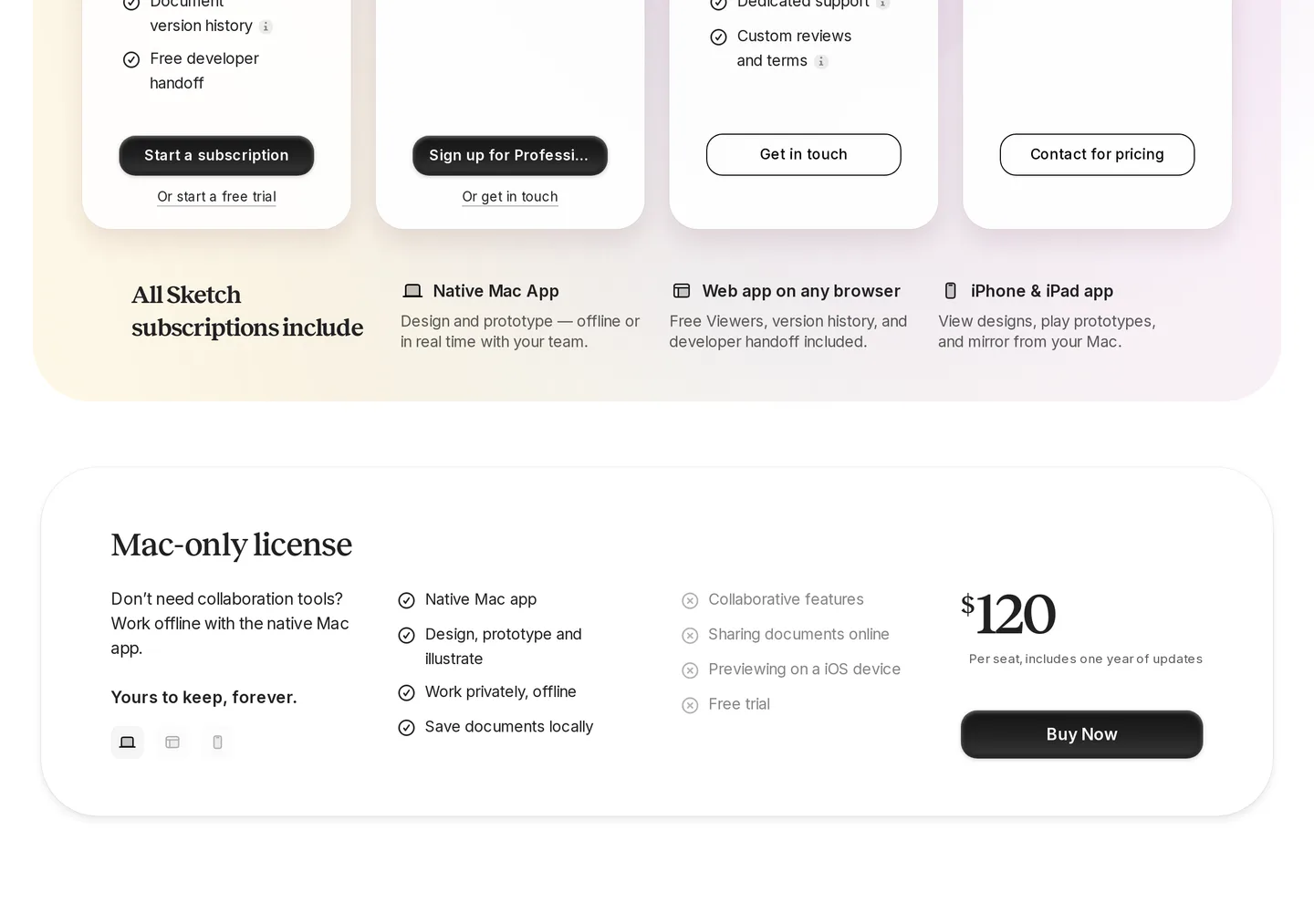
The ticks are the native Mac app, design and prototype, work privately offline, save documents locally. The crosses are collaborative features, sharing documents online, previewing on an iOS device, and the free trial. One year of updates. Then you keep the last build you installed.
Sketch is the Mac-native vector UI editor from Sketch B.V. in the Netherlands. The directory card folds Mac and web collaboration into one sentence. The shop does not.
The FAQ is still no
Support last touched the question on 23 January 2026. Is Sketch only available as a subscription?
No. You can still get a Mac-only license if you don't need the web app and only want to use the Mac app to design. However, you'd need to save all your work locally and would miss out on loads of handy collaborative features.
— sketch.com/support/general/subscription-only, 23 January 2026, captured 15 September 2026
A yearly subscription is the other product: real-time collaboration in the Mac app, commenting, handoff, and a shared Workspace. The licence page is blunter for anyone still holding a key. Licence keys are now Mac-only and no longer include uploads to a Personal Workspace or real-time collaboration.
You still design on a Mac
The homepage does not hedge the editor. Sketch is a toolkit made by designers, for designers. Get started for free. Requires macOS Sequoia (15.0.0) or newer.
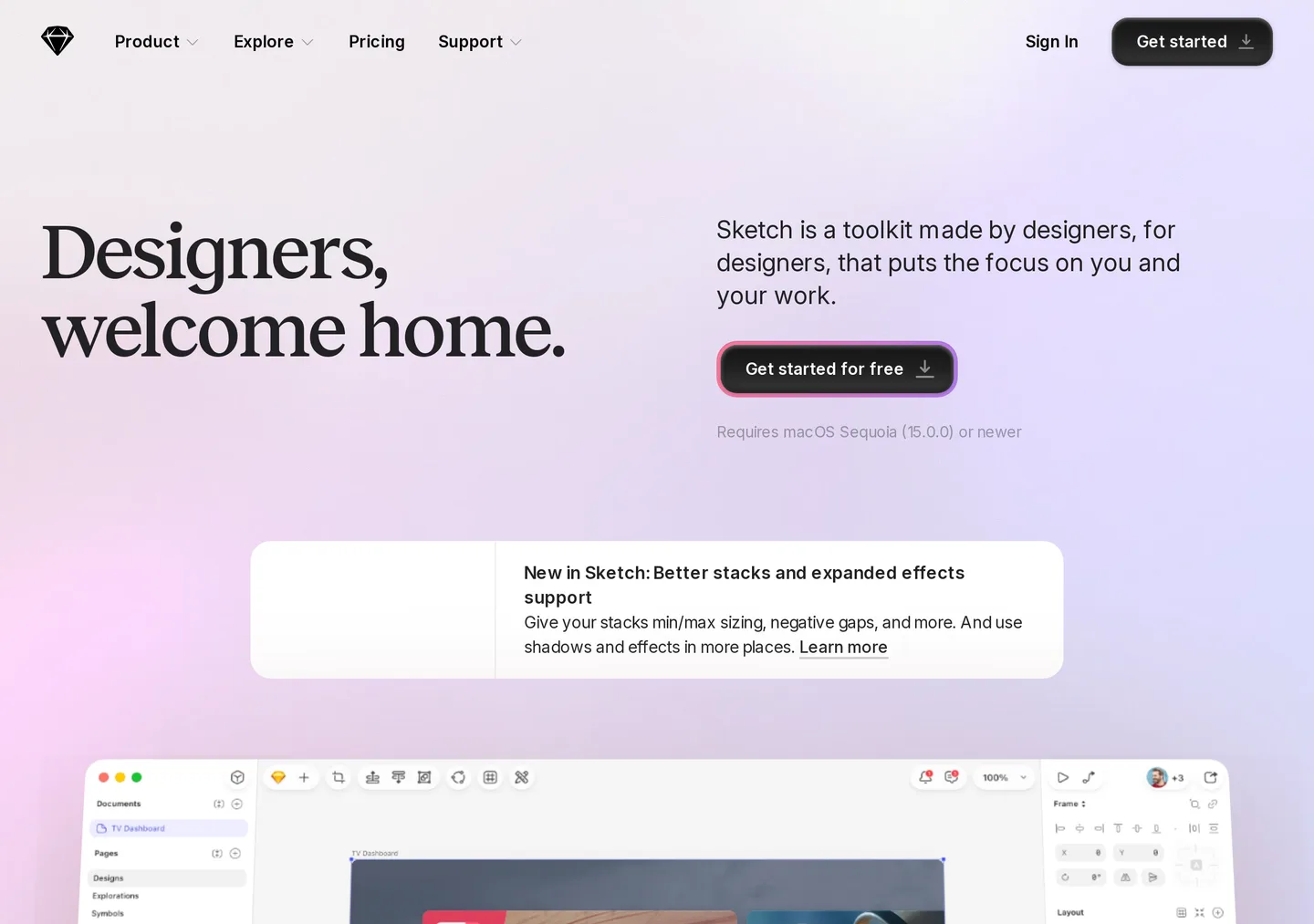
The Mac app is an infinite Canvas, nestable frames, stack layouts, symbols, a command bar, a minimap. Prototypes are the counted claim: a working prototype in less than 10 clicks. Smart Animate, overlays, hover and swipe, scroll areas. You play them in a browser, on iPhone, on iPad — if you bought the plan that shares.
They wrote the editor for you and your ideas. Not for PMs, developers or clients. Those people live in the Workspace: comments, previews with a password, inspect, download assets, export tokens. Viewers are free and unlimited. Guest editors who already pay for Sketch do not cost you a seat.
The web app is not a second canvas. Pricing lists it as viewers, version history, and developer handoff on any browser. You do not move the design job off the Mac by opening Chrome.
Florence dropped Sonoma
The third major Mac update of 2026 is dated 26 August. They called it Florence. Version 2026.3.
We're calling this update Florence. It requires macOS 15 Sequoia or later, which allows us to keep building Sketch with the latest Apple frameworks and APIs.
— sketch.com/updates, Florence (2026.3), 26 August 2026
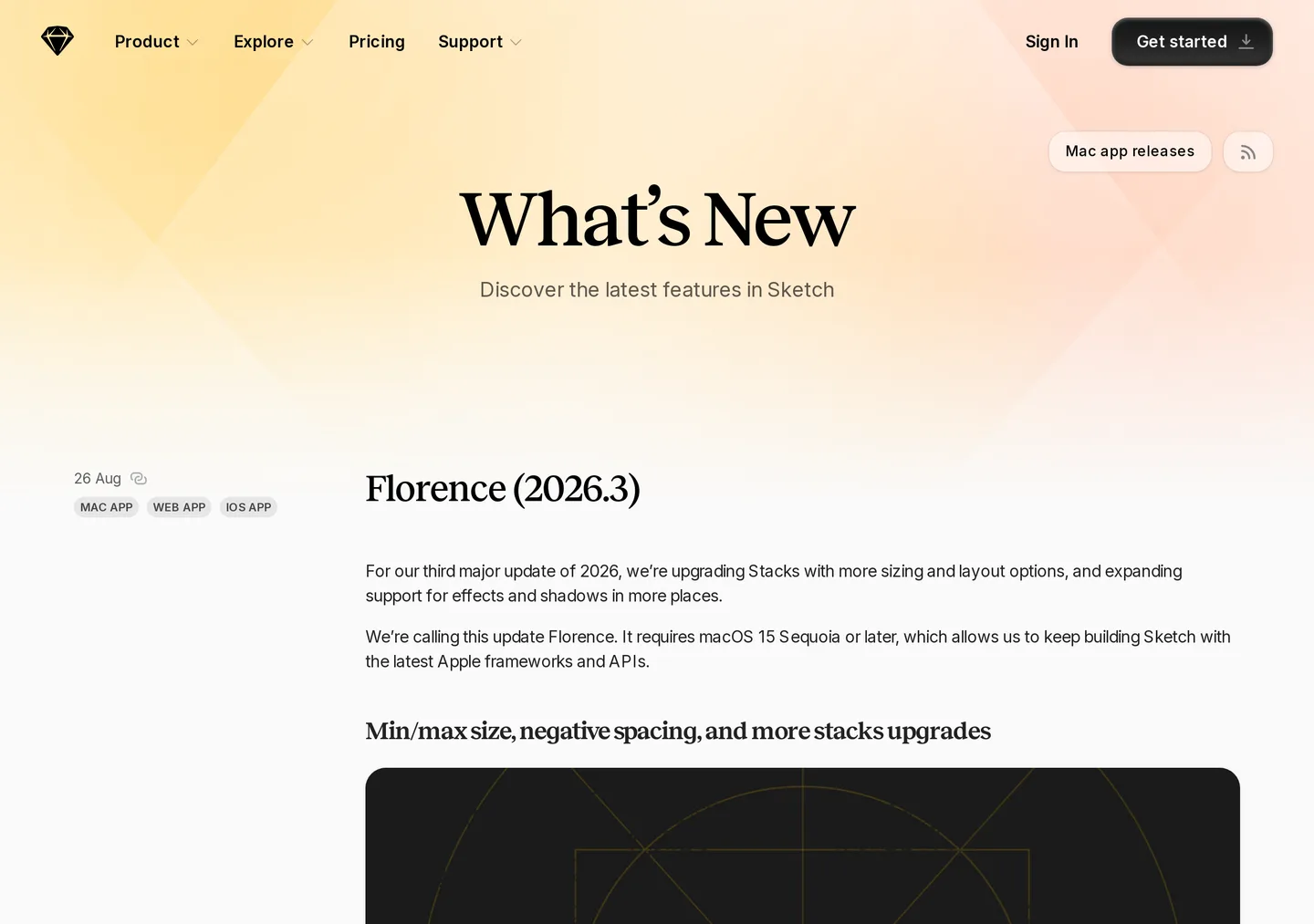
Stacks got minimum and maximum sizes, relative (%) sizing, negative gaps, a z-index order for overlapping items. Effects widened: blurs on groups, multiple drop shadows on frames without fills, glass and fade on the same layer. The Changes list is the OS cliff. With this release, we no longer support macOS 14 (Sonoma). Edinburgh, 2026.2, still said Sonoma or newer. Florence does not.
If you are on the Mac-only licence, that year of updates is Florence. Miss Sequoia and you are not getting it.
Standard is twelve, billed yearly
The trial is thirty days. No credit card. When it ends you pick a subscription or the one-time licence. On 15 September the Yearly tab printed Standard at $12 monthly per editor, billed yearly. Real-time collaboration, unlimited documents, unlimited free viewers, version history, free developer handoff. One Workspace. 50 GB per editor.
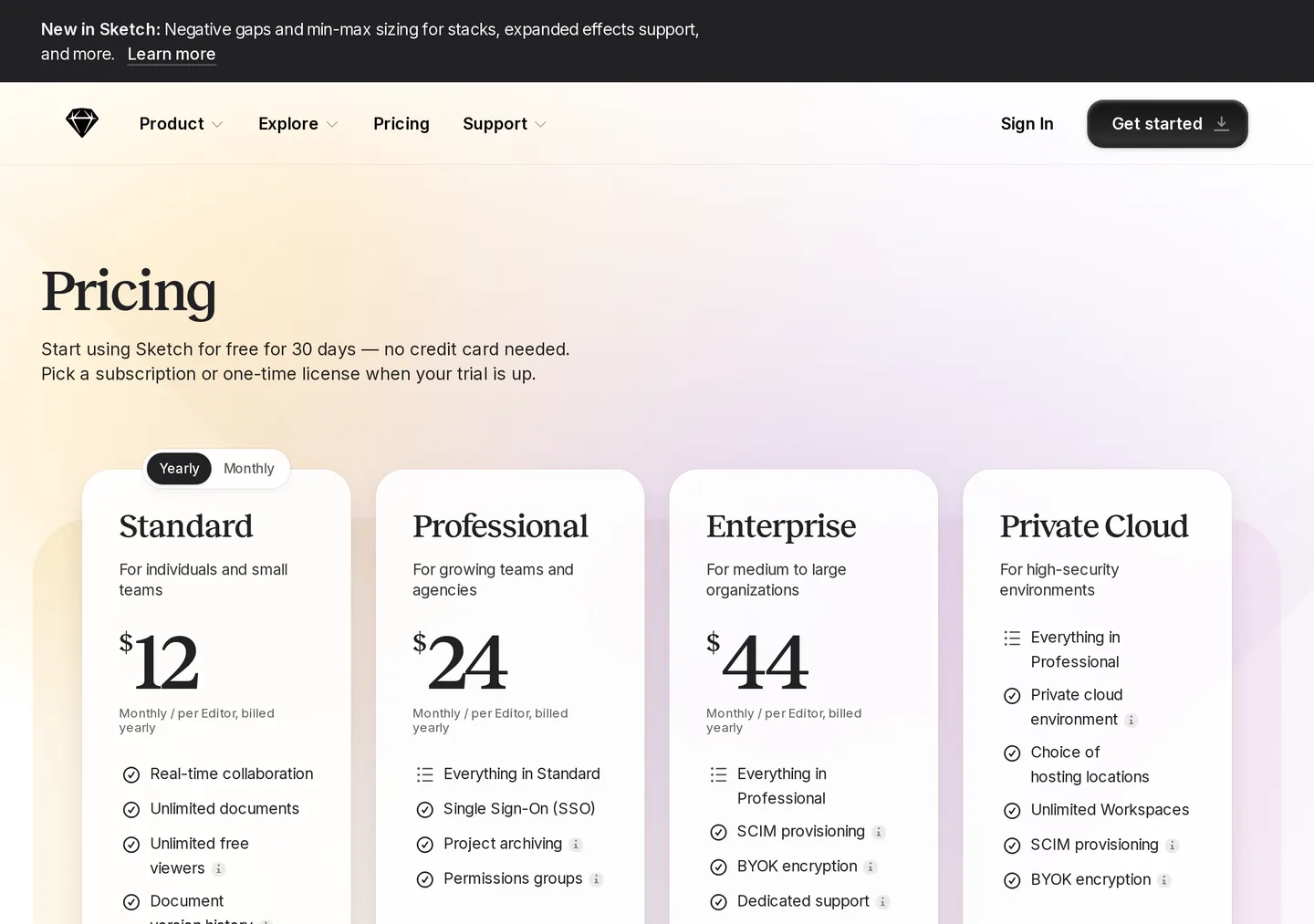
Flip Monthly. Standard becomes $14, billed monthly. Professional stays $24, billed yearly. Enterprise stays $44, billed yearly. Private Cloud is still contact for pricing. The monthly switch, on that morning, only repriced the cheap card.
Professional adds SSO, project archiving, permissions groups. Enterprise adds SCIM, BYOK, dedicated support, custom reviews and terms. Private Cloud adds a private environment, a choice of hosting locations, unlimited Workspaces, and a one-time setup fee. Education is a free Workspace with one editor seat. Qualifying non-profits get 50 percent off yearly Standard or the Mac-only licence. Direct shop prices; other platforms may vary. Standard and the licence take a card through Stripe.
Cancel a subscription and you keep access until the billing period ends. After that the documents are read-only, downloadable for up to 90 days. Then the Workspace is permanently deleted. The Mac-only licence does not have that clock. It also does not have the cloud to delete.
The Workspace is in Virginia
A Dutch company. The files you upload to a Workspace are not in the Netherlands. Support, last updated 4 August 2025, puts Sketch and its payment providers on Amazon Web Services. The data is located in AWS us-east-1 across multiple availability zones, which it says correspond to several physical locations around North Virginia. The subprocessor list dated 10 July 2026 repeats AWS as US hosting for the platform — including, for a Mac-only licence, the registration number, billing email, device information, and IP.
Private Cloud is the SKU that offers a choice of hosting locations in the US and EU. It is not the $12 card. It is not the $120 box. If the job is a local `.sketch` file on a Mac you already own, the licence never sends the document. If the job is comments and handoff, you are in Virginia unless you pay for the private environment.
Who should not start here
Anyone on Windows or Linux who wanted a browser editor. Anyone on Sonoma who wanted Florence. Anyone who read $120 as Figma-with-a-Dutch-invoice. Anyone who needed iOS preview or a shared Workspace on the perpetual SKU. Anyone who needed EU-hosted collaboration without Private Cloud. Anyone who wanted a free plan that was not Education or a Viewer seat.
If the job is a Netherlands Mac UI editor, start with the listing, then Pricing. Scroll past $12. Read $120. Read the crosses. If you need the Workspace, stay on Standard and read Sequoia before you install 2026.3.
New to the EuroMakers Journal? Start with how the Journal works.
Find your next European tool
Every product in the directory is checked before it goes live and shows where it’s made. Start with a tool you use today.
Explore the directory
